Pixi updaters
The two Pixi updaters maintain different pins:
| Command | Updates | Configuration (pixi.toml) |
|---|---|---|
pixi-version | pixi-version: values in setup-pixi workflows and actions | Root [tool.pixi-version-updater] |
pixi-update | Dependencies recorded in each pixi.lock | Adjacent [tool.update] |
pixi-version
pixi-version resolves the latest prefix-dev/pixi release once per run, then rewrites pixi-version: vX.Y.Z in marked workflow files directly under .github/workflows and in marked action files (action.yml or action.yaml) anywhere in the repository, such as a root action.yml or a local composite action in .github/actions/setup/action.yml.
- uses: prefix-dev/setup-pixi@a09b6247153796b190642a2b53fac4241043cf6f # v0.10.0
  with:
    pixi-version: v0.70.0
Files must contain the configured setup-pixi marker.
The default marker is prefix-dev/setup-pixi.
Override it when workflows use a fork, for example:
- uses: octo-org/setup-pixi@<commit-sha>
  with:
    pixi-version: v0.70.0
quant-ranger update \
  --repository octo-org/octo-repo \
  pixi-version \
  --setup-pixi-marker octo-org/setup-pixi
The marker is a plain substring used to select workflow and action files.
The updater does not change the uses line.
It updates pixi-version values in matching files.
Its deployment-wide default is documented under Configuration.
# Resolve the latest Pixi release
quant-ranger update \
  --repository octo-org/octo-repo \
  pixi-version

# Request an exact release instead
quant-ranger update \
  --repository octo-org/octo-repo \
  pixi-version \
  --pixi-version v0.70.0
Any pixi.lock makes a repository eligible.
Repository settings are read from the root pixi.toml.
When the section is absent, the defaults below apply.
[tool.pixi-version-updater]
autoupdate-branch = "pixi-version-updates"
autoupdate-commit-message = "chore: Update Pixi version"
autoupdate-pull-request-labels = ["dependencies", "pixi"]
autoupdate-schedule = "monthly"
| Key | Default | Meaning |
|---|---|---|
autoupdate-branch | "pixi-version-autoupdate" | Managed branch |
autoupdate-commit-message | "chore: Update pixi version" | Commit message and pull-request title |
autoupdate-pull-request-labels | ["dependencies"] | Pull-request labels |
autoupdate-schedule | "monthly" | weekly, monthly, quarterly, or never |
An invalid root config is logged and the defaults are used.
pixi-update
pixi-update finds every pixi.lock with a pixi.toml beside it and runs a sandboxed command from the manifest directory:
The sandbox is meant to act as a security boundary, see the security model. Pixi may execute a project-defined build backend while resolving dependencies, and a malicious backend could otherwise run arbitrary code with the quant-ranger process's privileges and credentials.
pixi update \
  --no-progress \
  --json \
  --no-install \
  --manifest-path <absolute-path-to-pixi.toml>
When an ignore-environments or ignore-platforms list is configured, the command also receives -e or -p arguments for the remaining environments or platforms.
No environment is installed.
quant-ranger passes the JSON output to pixi-diff-to-markdown and uses the resulting dependency report as the pull-request body.
By default, multiple lockfiles produce separate update items and independently configured pull requests.
quant-ranger update \
  --repository octo-org/octo-repo \
  pixi-update
Example pull request
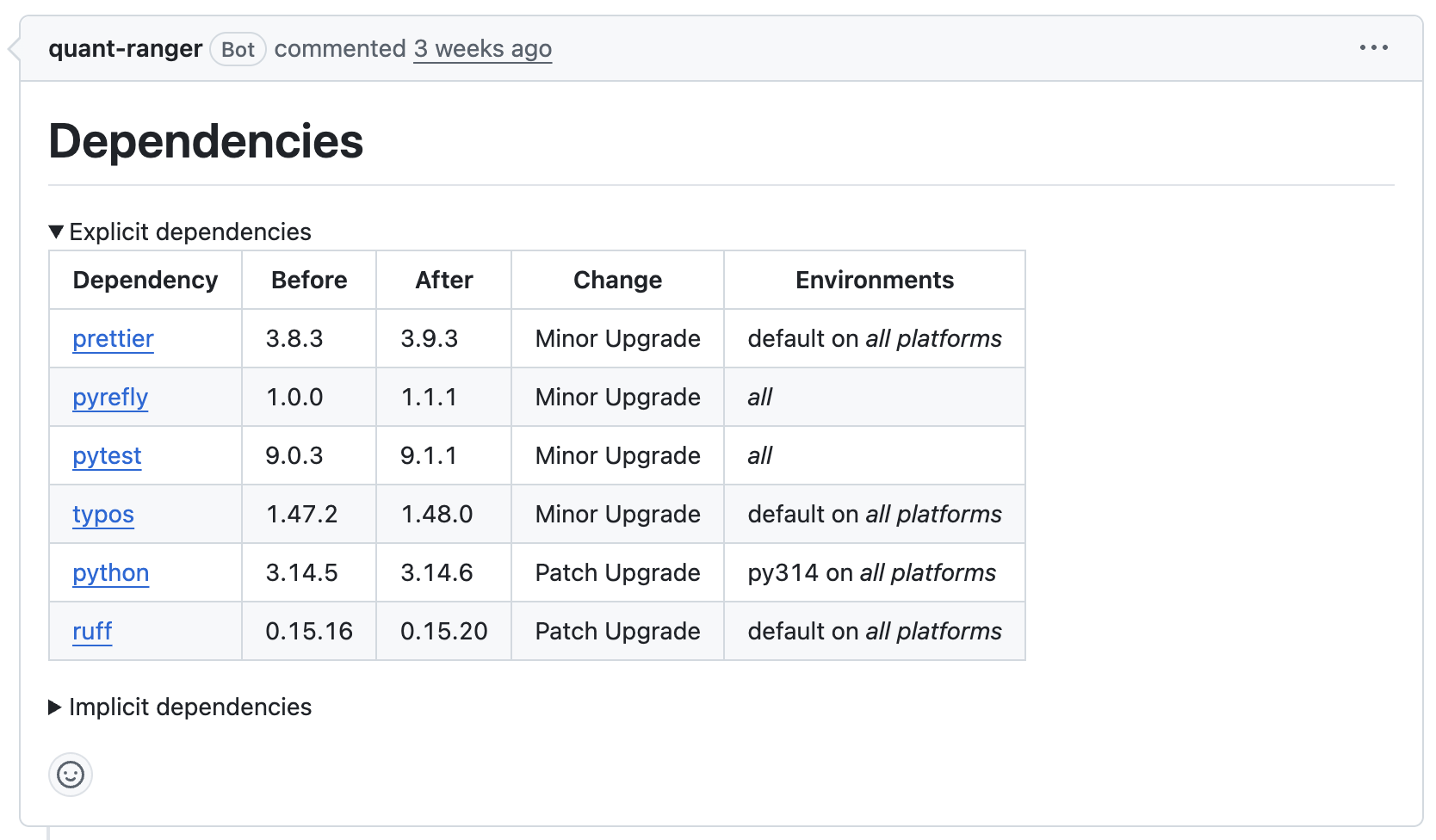
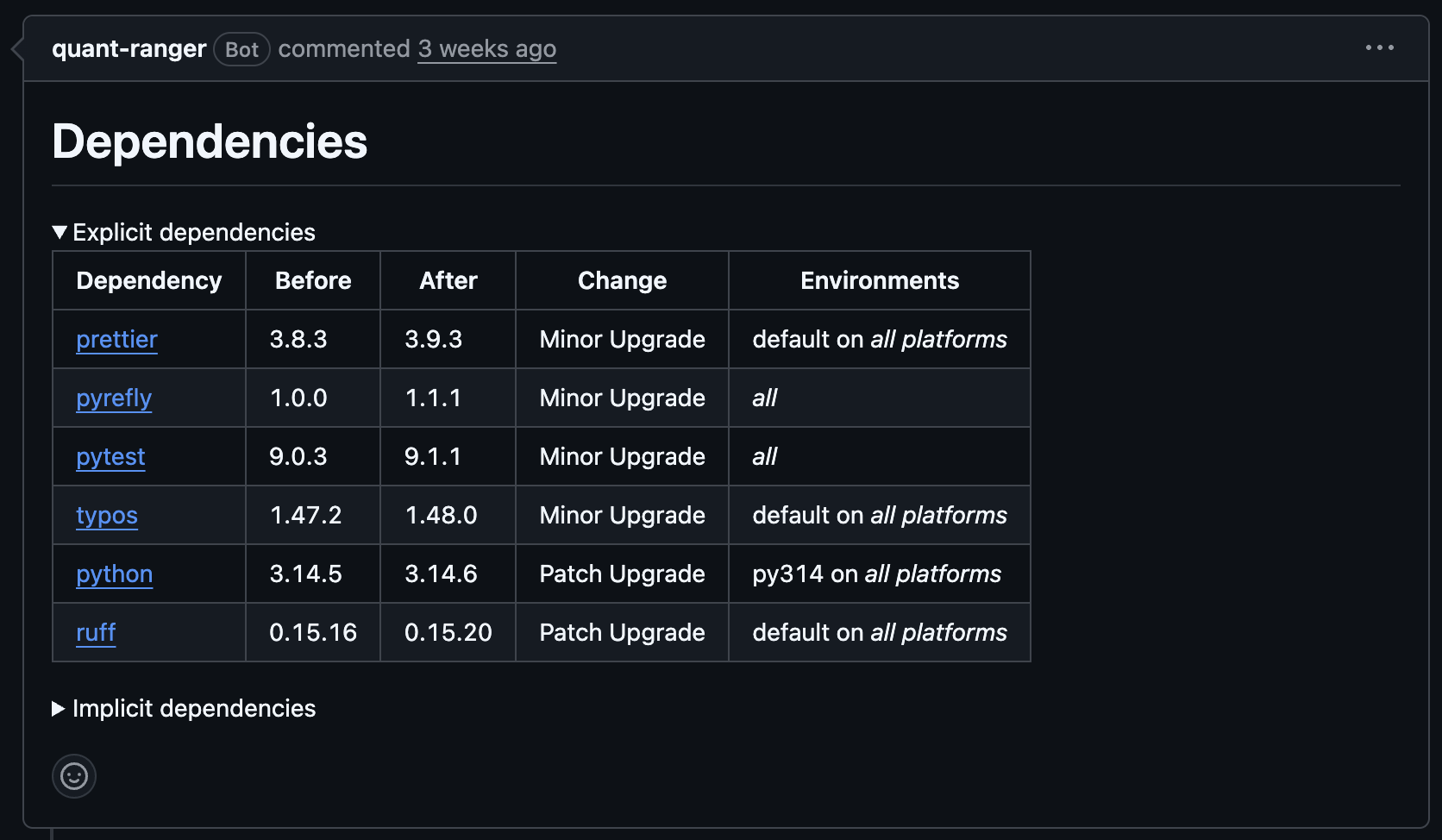
Configure each project in its own manifest:
[tool.update]
autoupdate-branch-prefix = "pixi-lock"
autoupdate-commit-message = "chore: Update Pixi lockfile"
autoupdate-pull-request-labels = ["dependencies", "pixi"]
autoupdate-schedule = "weekly"
ignore-environments = ["docs"]
ignore-platforms = ["win-64"]
group = "workspace"
| Key | Default | Meaning |
|---|---|---|
autoupdate-branch-prefix | "pixi-update" | Managed branch prefix, see Branches and titles |
autoupdate-commit-message | "chore: Update pixi lockfile" | Commit message and pull-request title |
autoupdate-pull-request-labels | ["dependencies"] | Pull-request labels |
autoupdate-schedule | "monthly" | weekly, monthly, quarterly, or never |
ignore-environments | [] | Environments excluded from dependency resolution |
ignore-platforms | [] | Platforms excluded from dependency resolution |
group | None | Group to publish in a single pull request |
A missing or invalid adjacent manifest is skipped and logged.
Branches and titles
Each pull request is pushed from a branch below autoupdate-branch-prefix.
Ungrouped lockfiles use the manifest path as suffix; grouped lockfiles use the fixed group/ namespace followed by the group name.
| Lockfile | Branch | Pull-request title |
|---|---|---|
pixi.lock | <prefix>/pixi.toml | <commit message> |
subproject/pixi.lock | <prefix>/subproject/pixi.toml | <commit message> (subproject/pixi.lock) |
in group workspace | <prefix>/group/workspace | <commit message> (workspace) |
With the default prefix, the branches are pixi-update/pixi.toml, pixi-update/subproject/pixi.toml, and pixi-update/group/workspace.
With autoupdate-branch-prefix = "deps", the group's branch is deps/group/workspace.
The group/ namespace is not configurable: it keeps group branches apart from the manifest-path branches of ungrouped lockfiles below the same prefix.
Grouping lockfiles into one pull request
Set the same group in the [tool.update] section of several pixi.toml files in one repository to update their lockfiles in a single checkout and publish them in one pull request.
This avoids many pull requests and repeated CI runs in monorepos.
[tool.update]
group = "workspace"
The pull request uses the branch and title of the group, and its body holds one section per changed lockfile; up-to-date lockfiles are left out.
A group is a single update item, so the run summary and the results file report one result per group instead of one per lockfile:
| Lockfiles of the group | Result |
|---|---|
| At least one changed, none failed | updated, or skipped if the managed pull request is not updated |
| All up to date | up-to-date |
| At least one failed | failure |
If a lockfile fails to update, for example because pixi update fails, the other changed lockfiles are still published, and the group reports failure.
Its message names each failing lockfile with its error, for example subproject/pixi.lock: pixi update failed (the other changed lockfiles were published).
Unexpected errors, such as a crash of pixi-diff-to-markdown, abort the whole group without publishing.
A group has a single branch, title, and schedule, so the grouped manifests share these settings:
autoupdate-branch-prefix,autoupdate-commit-message, andautoupdate-schedulecome from the first manifest by path that sets the key; manifests that leave it unset are ignored, and the default applies if none sets it.- If manifests set different values for one of these keys, the pull-request body starts with a warning that names the value used.
autoupdate-pull-request-labelsset by any grouped manifest are merged.- Manifests with schedule
neverare not part of the group.
group starts with an alphanumeric character and contains only alphanumerics, -, and _, so that it is always a valid branch name.
Avoid ungrouped manifests at group/<group>/pixi.toml: their branch would collide with the group's branch.
The updater detects HTTP(S) channel hosts and forwards matching standard Pixi/rattler credentials into the sandbox.
On macOS Pixi stores its credentials on the system keychain; quant-ranger automatically reads them from there.
Otherwise, it reads the credentials file reported by pixi info or selected with RATTLER_AUTH_FILE.
Missing credentials produce a warning and the update continues.
The sandbox is supported on Linux and macOS. It permits network access and only the files needed by Pixi, including declared credential and configuration files.
The sandbox is experimental and only a temporary, best-effort mitigation. It may not prevent every way a malicious project could escape it, and its behavior may change in future releases. The proper fix is an option for Pixi to refuse executing untrusted code while resolving dependencies, which is tracked in prefix-dev/pixi#6385. quant-ranger will adopt it once available.
pixi-update uses a rootless sandbox that needs unprivileged user namespaces.
Enable them before invoking pixi-update, or use a runner that already permits them.
sudo sysctl -w kernel.apparmor_restrict_unprivileged_userns=0
Schedule filtering
Scheduling only starts quant-ranger.
The --schedule filter is specific to pixi-version and pixi-update.
Both commands compare it with the autoupdate-schedule value in each repository:
quant-ranger update \
  --all-installed-repositories \
  pixi-update \
  --schedule weekly
--schedule weekly runs only configurations set to weekly.
Omitting the option is a manual, unfiltered run over every other cadence.
Configurations set to never are always skipped, with or without the option.
Other updaters do not accept this option.
Control their cadence by choosing when the workflow calls them.
Scheduled automation
Use separate cron entries for the weekly, monthly, and quarterly groups,
then map the active cron expression to the corresponding --schedule value.
For first-Monday schedules, run a weekly cron candidate and skip it when the UTC day is greater than seven.
See Scheduling updates for an example.